




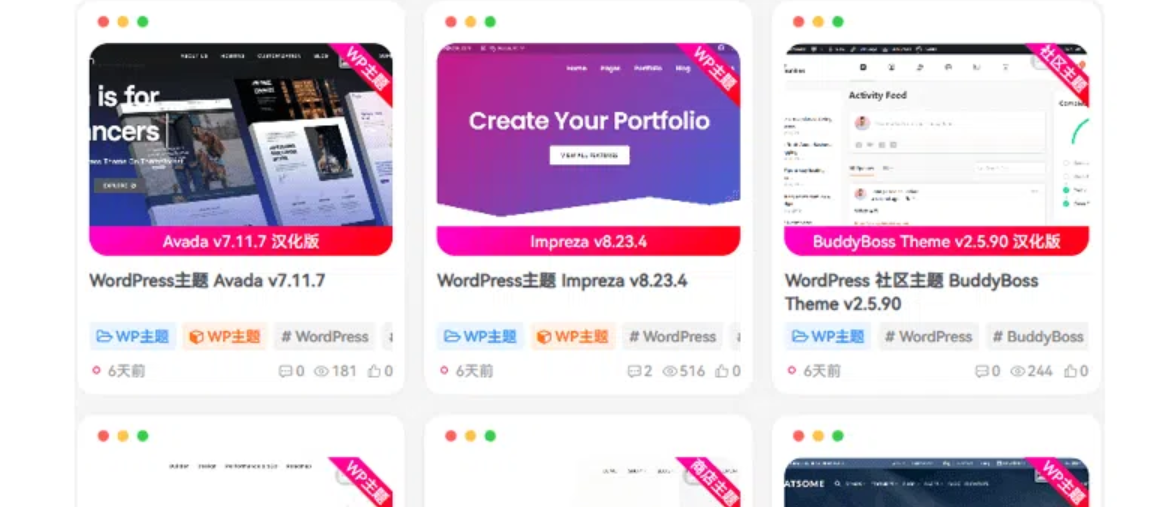
![图片[1]-欢迎各位,本站专注于收集分享各种最新资源、技术教程、绿色软件、还有来自全网的网站模板、网站源码分享以及各种去广告软件下载子比主题美化 – 文章封面鼠标接触来回扫光](https://img.899778.com/2025/10/d2b5ca33bd20251010140645.png)
美化介绍
所有文章鼠标接触后进行扫光
使用教程
将以下CSS代码粘贴到子比主题设置>>自定义代码>>自定义CSS样式里
/*文章扫光*/
.posts-item .item-thumbnail {
  position: relative;
  overflow: hidden;
  z-index: 1;
  transition: filter 0.3s ease;
}

.posts-item .item-thumbnail::before {
  content: "";
  position: absolute;
  top: 0;
  left: -100%;
  width: 35%;
  height: 100%;

  background: linear-gradient(
    to right,
    rgba(255, 255, 255, 0) 0%,
    rgba(255, 255, 255, 0.2) 40%,
    rgba(255, 255, 255, 0.9) 50%,
    rgba(255, 255, 255, 0.2) 60%,
    rgba(255, 255, 255, 0) 100%
  );
  transform: skewX(-12deg);
  animation: none;
  z-index: 2;
  pointer-events: none;
  opacity: 0;
  transition: opacity 0.2s ease;
  filter: blur(0);
}

.posts-item .item-thumbnail:hover::before {
  animation: sweepLight 1.5s infinite linear alternate;
  opacity: 1;
  left: -80%;
}

@keyframes sweepLight {
  100% {
    left: 120%;
  }
}

.posts-item .item-thumbnail:hover {
  filter: brightness(1.1);
}
© 版权声明
THE END
.jpg)






- 最新
- 最热
只看作者